All help
Sign up and build your chart
Your birth date, time and place produce your natal chart. Everything else unlocks from there.
Device
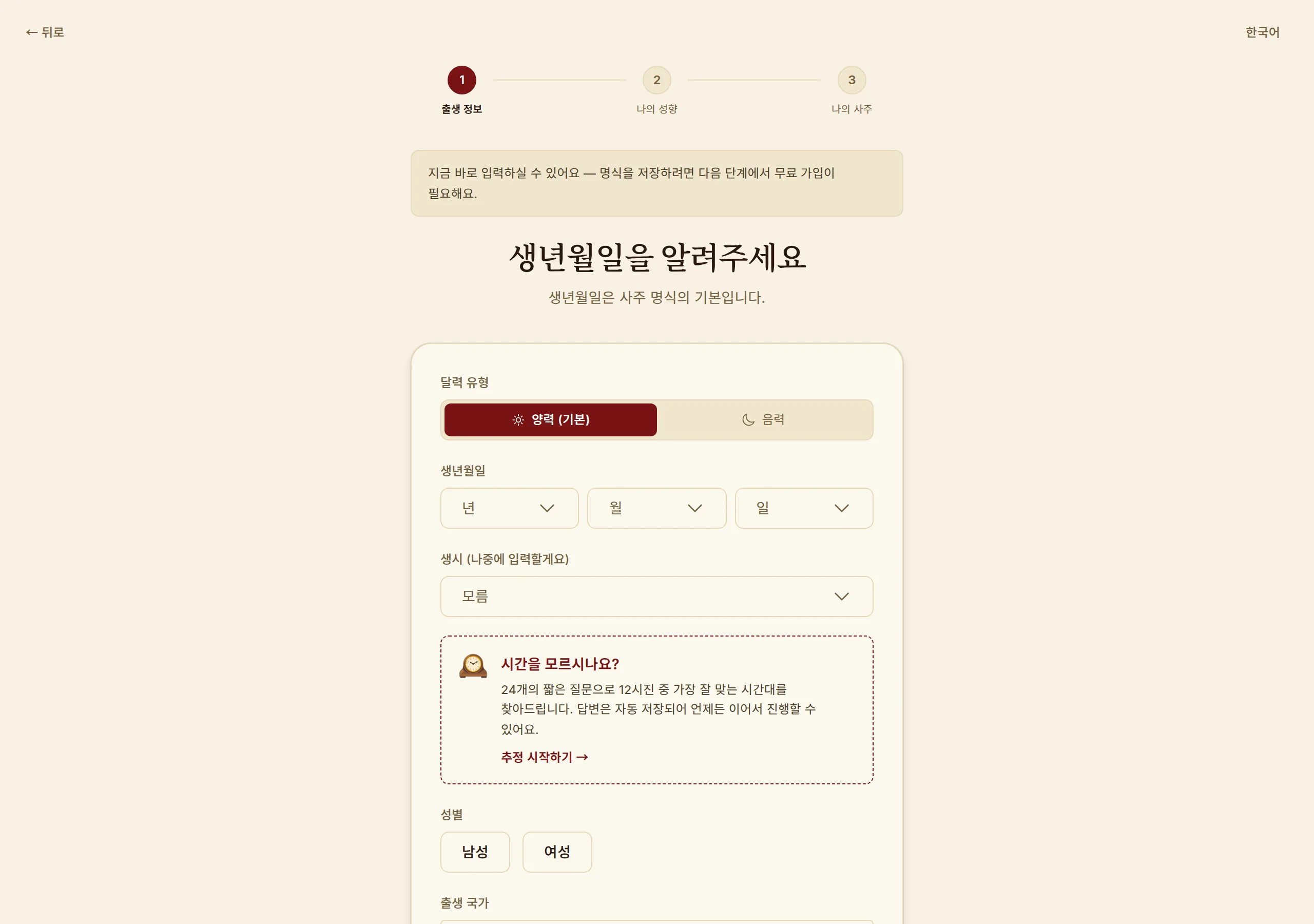
Onboarding — entering birth date, time and place · Shown on Desktop.
Creating an account
Sign up with email, Google or Apple. You get 42 credits on signup, enough to try a paid feature properly.
1
Press "Start free" on the first screen.
2
Sign up with email, or use the Google / Apple buttons.
3
Enter your birth details in the onboarding that follows.
Solar or lunar calendar
You must say whether your date is solar or lunar. Choosing wrong changes all eight characters of your chart.
1
Most official birth records are solar. If the date you know is the one your family calls a "lunar birthday", pick lunar.
2
If lunar, also say whether it was a leap month. A leap month is an extra month inserted every few years, and the same date in a leap month gives a different chart.
3
Some lunar months have no 30th day. If your date is rejected, check the actual birth date again.
Birth time
A chart is built from four pillars — year, month, day and hour. You can leave the time blank, but you lose the hour pillar and with it two of the eight characters, which noticeably flattens the reading.
1
Hours are grouped into two-hour blocks. The Rat hour, for example, runs 23:30–01:30.
2
If your time sits near a boundary (say 01:20), enter the minutes exactly — true solar time correction can push it into the neighbouring block.
3
If you truly do not know, leave it unset and try Birth Time Finder later.
Birth place
Picking a city fills in latitude, longitude and the standard time zone, which is what powers the true solar time correction. You can type a city that is not on the list, but then no correction is applied.
1
Choose the country first, then the city.
2
"True solar time" is on by default. Leave it on unless you have a reason not to.
Gender
The direction your luck cycles run — forward or backward — is set by gender together with the yin/yang of your birth year. It is required by the calculation, not a profile decoration.
Terms used here
Common questions
I entered the wrong birth date.
You can fix it in settings at any time. Doing so recalculates your chart, and readings you already generated are rebuilt against the new chart.
Can I use this without knowing my birth time?
Yes. Most features work from the year, month and day pillars. Readings that depend on the hour pillar will say that their accuracy is reduced.
I was born outside Korea — does that work?
Yes. Choosing your city applies that region's time zone and longitude. 20 languages are supported.
Worth knowing
· True solar time and daylight saving are applied automatically. Do not pre-adjust your time yourself, or it gets corrected twice.
· The 42 signup credits cover one face or palm reading (42), or one portrait (28).
Read next
Birth Time Finder
Don't know your birth hour? Answer 24 questions and we work backwards from temperament and life patterns.
How the chart is calculated
When our result differs from a traditional almanac — true solar time, daylight saving and the midnight boundary.
Finding your way around
Menus sit in different places by device — a sidebar on desktop, bottom tabs on mobile.